A picture of a meal is a memory cue, and memory is an appetite signal#
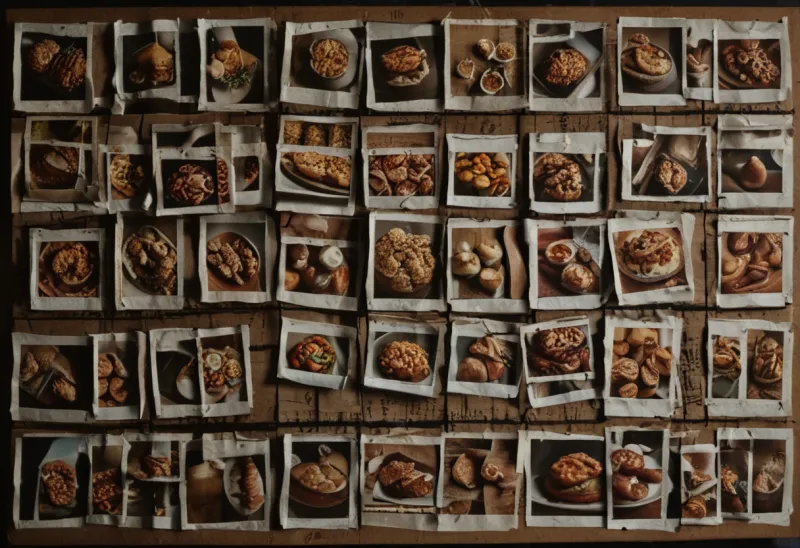
Since September 11, 2026, every meal you log in BurnWeek gets a picture. If you photographed the plate, that photo is the picture. If you spoke the meal, typed it, or logged it from the lock screen or a scale, the app generates a small plate image for that food and keeps it, so "egg whites" looks the same every time it is logged. Three days later the Home screen learned to show the day as a two-column grid of those pictures instead of a list of text rows. This post explains the two changes together, because they rest on the same finding: what you remember eating shapes what you eat next, and a picture is a better retrieval cue than a line of text.
That claim comes from a line of laboratory work that has nothing to do with apps. In a 2008 review of her own and others' experiments, Suzanne Higgs summarised the pattern: making the memory of the last meal more vivid reduces later snack intake, while disrupting the encoding of that memory increases it. The extreme case is patients with amnesia, who will eat a second lunch minutes after the first because the first left no trace1. A food log is, among other things, an external memory of recent eating. The question a tracker's design has to answer is whether that memory is one you can actually consult at a glance, or one buried in a scroll of near-identical rows.
What the thumbnails actually are, and what they are not#
The picture attached to a meal comes from one of three sources, decided once at the moment the meal is saved:
| How the meal was logged | What the picture is | How the tile marks it |
|---|---|---|
| A photo you took | Your own photo, unchanged | Camera badge |
| A barcode scan | The product's front-of-pack image from Open Food Facts, attributed in the meal's detail sheet | "Auto" tag |
| Voice, text, lock-screen voice, scale, or an assistant | A generated illustration of the food as named, reused whenever that food is logged again | "Auto" tag |
| A favourite, plan item, repeat, or copied day | Inherits the original meal's picture | Inherits its tag |
Two design rules follow from the evidence rather than from taste. First, only a photo you actually took gets the camera badge. A generated image of "chicken and rice" is a picture of the idea of chicken and rice, and the tile says so with the "Auto" tag rather than implying a photograph was taken. Second, the generated images depict food identity, never portion. The picture shows a plate of the named food, not a plate that looks like 180 grams of it, because a synthetic picture that looked precisely portioned would be a false claim about a number nobody measured. The portion lives in the numbers under the tile, with the same ~ marker the rest of the app uses for a rough estimate.
Multi-item meals get one picture for the meal, not one per component. Logging never waits for the image: the meal saves immediately, the tile shows a placeholder plate while the picture is on its way, and if generation fails the placeholder simply stays, with no error banner. If the generated picture is wrong for your dish, the meal's edit sheet has a "Different picture" row that regenerates it. That regeneration replaces the cached image for that food everywhere it appears, and each dish can be regenerated once per day.
Your own photos carry evidence a generated plate cannot#
The distinction between a photo and an illustration matters because the research on image-assisted logging is about photographs, and it should not be borrowed to flatter a synthetic image. The photo food journaling guide covers that literature in depth; the short version is that when people photograph plates before and after eating and trained raters estimate intake from the images, the method runs a few percent low against directly weighed food. In the first validation of the Remote Food Photography Method, 52 adults ate lab and take-out meals for three days, and the photo estimates underestimated energy intake by 4.7 to 6.6 percent while correlating above 0.93 with the weighed truth3. A 2015 systematic review of 13 studies found the consistent benefit of images was catching foods people forgot to report and misreporting that text records alone missed, with the caveat that image-only methods underestimate when people photograph late or badly4. How much of a day's error is portion and how much is omission is the subject of how accurate calorie counting really is.
So a camera-badged tile is a record with evidence behind it. A generated tile is a label with a picture on it. Both are useful for the memory function; only the first is useful for auditing the portion. The grid keeps that boundary visible instead of blurring it.
The grid: reading a day, not a log#
On Home, the meals section now has a ≡ / ▦ toggle beside Search, defaults to the grid, and remembers your choice on that device. The grid shows two columns of square tiles, each with a time pill in the top-left corner ("13:15", on the app's 24-hour clock), a one-line name, and the meal's numbers: a small square coloured by the portion's protein share, then the likely calories and grams of protein. The order is the day as it happened, oldest meal first, then whatever is still to come.
That ordering is the point of the grid and the reason the list view is kept as an alternative. The list runs newest-first, which is the right order for a log: the thing you just did sits at the top. The grid runs in the order you ate, which is the right order for a memory. Higgs and Donohoe tested the memory side directly in 2011: 29 women ate the same fixed lunch, one group instructed to attend to the sensory qualities of the food, and that group later ate fewer cookies and rated their memory of lunch as more vivid, with vividness of the lunch memory negatively correlated with the afternoon snack2. That is a small study of undergraduates and one meal, so hold the effect size loosely, but the direction is consistent with the 2008 review and with the amnesia cases. A glanceable picture of lunch at 13:15 is the closest a phone can get to that vividness after the fact.
The grid is how the mindful eating with numbers thesis looks on a screen. The numbers are still there, but they sit under a picture of the meal rather than standing in for it, which is also the nearest thing to a truce in the tracking versus intuitive eating argument: the attention comes first, the count rides along.
Planned meals sit in the same grid, dimmed#
A meal you booked in Plan a Day for later today shows in the grid too, as a dashed tile with a dimmed picture, a PLANNED tag, and its booked time in the pill. Its numbers are the plan's numbers, so a wide estimate band earns the same ~ as any other rough guess. The tile ends in two small pills: ✓ Log now, which logs it as planned, and Skip, which removes it and hands its calories back to the day. Tapping the tile body opens the plan on that row for adjusting. Once a planned meal's time has passed, it stops being a tile and becomes the "Eaten as planned?" card under the grid, because that question needs an answer the day's close depends on, and a tile has no room for one.
On past days the grid shows only what was eaten, with each tile's own time. There are no planned tiles on a day that has already happened.
Where the grid also appears#
The same tiles were the first thing built, on September 11, for the two surfaces where you pick food you already know by sight: the Library's Past meals tab and the "Log from history" picker inside the composer. In the picker, tapping a tile selects it, and a docked "Log N items" button logs every selected meal at the same portion it had before, with one Undo that removes all of them. A long-press opens the portion check for a single adjusted re-log. Both surfaces show three columns and no time pill; only Home shows the day's clock.
Images reduced underreporting in every study a 2017 review of image-assisted and image-based methods examined5, but those studies were about photographing food, not about looking at pictures of it later. The claim this release makes is narrower: a food record you can scan as pictures is a record you will consult, and a record you consult is a memory that does some of the work a meal memory is supposed to do. The evidence for that is a handful of small laboratory experiments and one review. It is enough to build on, and not enough to promise a number.
FAQ#
Does a generated meal picture help estimate my portion?#
No. Generated pictures depict the food's identity, not its amount, and the tile marks them "Auto" so they are never mistaken for a photograph. Only a photo you took yourself carries portion evidence, which is why the validation research on image-assisted logging applies to camera-badged tiles and not to generated ones.
Why does the meal grid show the day oldest-first when the list is newest-first?#
The list is a log, and a log puts the latest entry on top. The grid is meant to be read as a day, in the order you ate it, because memory for recent eating is what the pictures are there to support. Both orders are one tap apart on the ≡ / ▦ toggle.
Can I change a meal's picture if the generated one is wrong?#
Yes. Open the meal, and under its photo block there is a "Different picture" row for any meal whose picture is an auto-generated one. Tapping it regenerates the image for that food, and the new picture replaces the old one everywhere that food appears. Each dish can be regenerated once per day.
Do planned meals count in the grid before I eat them?#
They appear as dimmed, dashed tiles with a PLANNED tag so you can see the rest of the day, and their calories are already counted toward what is left to eat. Tapping ✓ Log now turns the plan into a real meal; Skip removes it and returns its calories to the day.
Sources#
- Higgs S. Cognitive influences on food intake: the effects of manipulating memory for recent eating. Physiol Behav. 2008.
- Higgs S, Donohoe JE. Focusing on food during lunch enhances lunch memory and decreases later snack intake. Appetite. 2011.
- Martin CK, et al. A novel method to remotely measure food intake of free-living individuals in real time: the remote food photography method. Br J Nutr. 2009.
- Gemming L, Utter J, Ni Mhurchu C. Image-assisted dietary assessment: a systematic review of the evidence. J Acad Nutr Diet. 2015.
- Boushey CJ, et al. New mobile methods for dietary assessment: review of image-assisted and image-based dietary assessment methods. Proc Nutr Soc. 2017.
Source: BurnWeek — "A day you can see: meal thumbnails, the grid view and the memory science behind them", https://burnweek.fit/blog/meal-grid-and-thumbnails/. Licensed CC BY 4.0: free to quote or reuse with a link to this page.